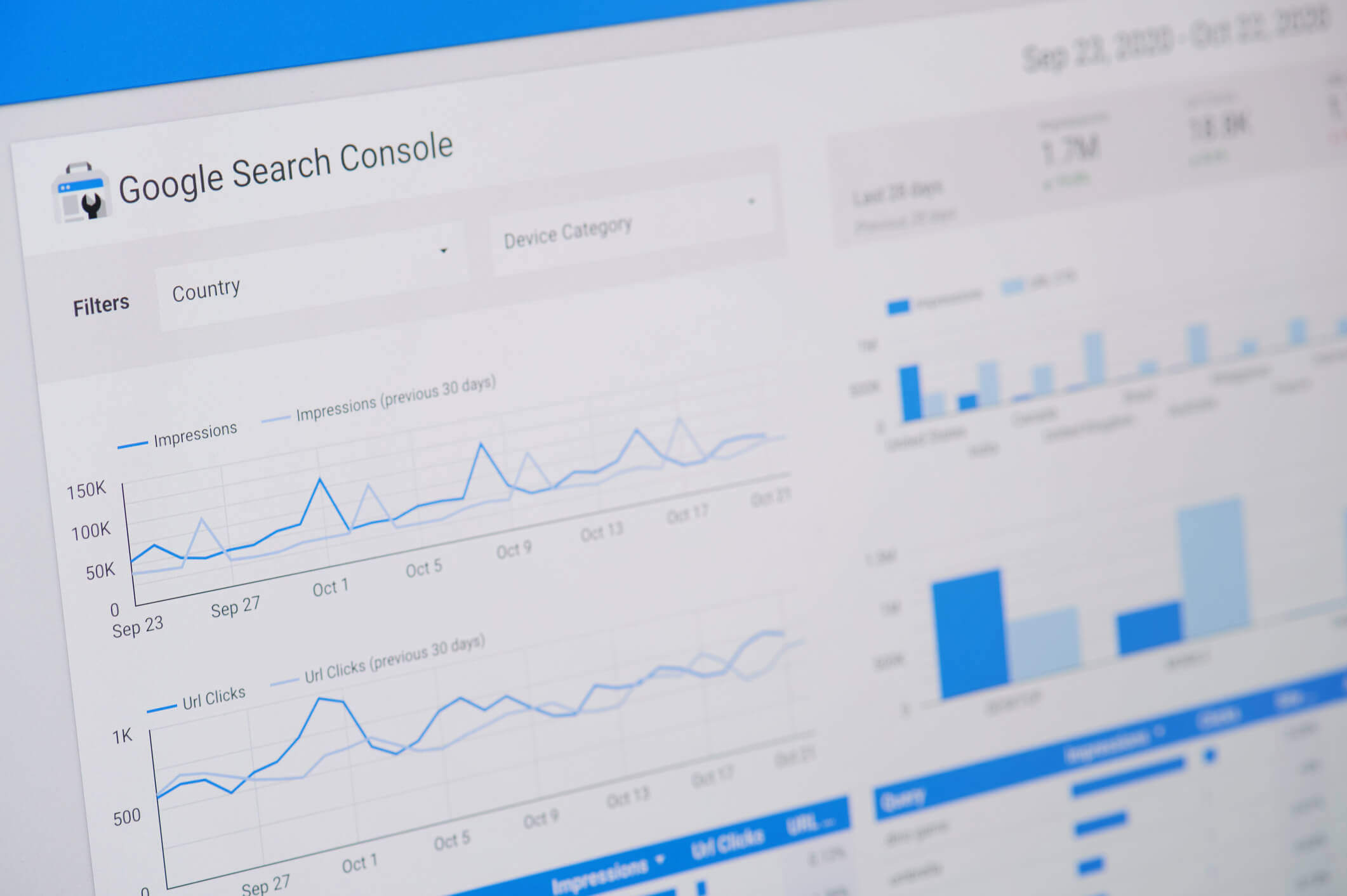
Your website appears in Google Search thousands of times, but hardly anyone clicks through. You open Google Search Console, see impressions increasing, and expect more visitors. Instead, your organic traffic remains flat.
For Las Vegas business owners, this can be frustrating, especially when your website appears for searches related to the services you offer. However, high impressions and low clicks do not necessarily mean your SEO strategy is failing. They indicate that your website is gaining some visibility, but that visibility is not consistently turning into visits.
The important question is why. Your pages might rank too low, appear for irrelevant searches, compete with more attractive search results, or answer questions that users can resolve without visiting a website.
This guide explains how to identify the cause using Google Search Console and what you can do to improve your organic click-through rate.
What Do High Impressions and Low Clicks Mean?
Before making changes to your website, it helps to understand what the numbers in Google Search Console actually measure.
Impressions: The number of times a link to your website appears in Google Search results under Google’s impression-counting rules.
Clicks: The number of clicks from Google Search results to your website.
Click-through rate (CTR): The percentage of impressions that result in clicks.
Average position: The average ranking position of your result across the searches included in the report.
To calculate your organic CTR, divide the number of clicks by the number of impressions and multiply by 100.
CTR = (Clicks ÷ Impressions) × 100
For example, suppose your Las Vegas business website records 20,000 impressions and 200 clicks during one month. Your organic CTR would be 1%.
That percentage alone does not tell you whether your website is performing well. A page ranking near the bottom of the first page will generally have different click opportunities than a page appearing near the top. Search intent, competition, devices, and search result features also influence how often people click.
Why Your Las Vegas Website Gets Impressions but Few Clicks
Several issues can create the same pattern in Google Search Console. Identifying the specific cause is more useful than immediately rewriting every title tag or publishing more content.
1. Your Website Appears Too Low in Search Results
One of the most common explanations is that your website appears for relevant keywords but does not rank high enough to attract substantial traffic.
For example, a plumbing company may receive impressions for “emergency plumber Las Vegas” while ranking outside the leading results. Google can still record impressions, even when relatively few users reach or choose that listing.
To investigate, check the average position for individual queries rather than relying only on your website-wide average.
If important service keywords consistently rank poorly, improving the title tag alone is unlikely to solve the problem. You may need to strengthen the page’s content, relevance, internal links, or overall search visibility.
2. Your Pages Are Appearing for the Wrong Keywords
Not every impression represents a potential customer.
A Las Vegas air conditioning company might receive impressions for searches such as “how does an air conditioner work” or “air conditioner parts diagram.” Those searches may be related to its industry, but many searchers are looking for information rather than repair services.
Meanwhile, someone searching for “AC repair Las Vegas” may be much closer to contacting a company.
Review the Queries report in Google Search Console and separate searches into categories:
Service-related searches: People looking for a service your business provides.
Informational searches: People researching a topic or solving a problem themselves.
Branded searches: People searching for your company by name.
Irrelevant searches: Queries unrelated to your actual services or service area.
If most impressions come from broad informational searches, a low overall CTR may be understandable. Focus on improving visibility and relevance for the searches that matter to your business.
3. Your Title Tags Are Not Compelling or Relevant
The title displayed in Google Search results helps users decide whether a page is worth opening.
A generic title such as “Home | ABC Company” provides little information about the services offered or the location served.
Compare it with a more descriptive title:
Example: “Air Conditioning Repair in Las Vegas, NV | ABC Company”
The second version communicates the service, location, and business name immediately.
When reviewing title tags, ask yourself:
Does the title accurately describe the page?
Does it match what the searcher is trying to find?
Is the primary topic clear without reading the description?
Does the title distinguish the page from competing results?
Is the wording natural rather than overloaded with keywords?
Keep in mind that Google may generate a different title link from the one you specify. Your page headings, visible content, and other signals can influence what appears in search results.
4. Your Search Snippets Do Not Answer the Searcher’s Question
The text beneath a search result can influence whether someone chooses your website.
A vague description filled with phrases such as “best quality,” “trusted experts,” or “excellent service” may offer little reason to click.
Instead, explain what visitors will find on the page.
For example, a page about water heater repair could use a description like:
“Learn the warning signs of water heater problems, common repair options, and when to call a Las Vegas plumbing professional.”
This communicates a specific benefit without making exaggerated promises.
Google does not always display your written meta description. It may select text from the page that better matches the user’s query. Therefore, improving the page’s visible content is just as important as writing a useful meta description.
5. Search Results Are Answering Questions Without a Website Visit
Google Search results increasingly include features that help users find information without opening a traditional organic result.
Depending on the query, users may encounter:
AI Overviews
Featured snippets
People Also Ask questions
Local business listings
Other search features that display information directly
For example, someone searching for a simple definition may find a satisfactory answer on the results page and decide not to click any website.
This is especially relevant for informational blog posts. A page can receive substantial impressions even when the searcher’s question does not require a longer explanation.
Instead of trying to force clicks from every informational query, create content that provides value beyond a short answer. Examples include detailed instructions, original comparisons, useful checklists, local considerations, and explanations of complicated decisions.
6. Your Website Is Competing With Stronger Local Search Results
Las Vegas businesses often compete with established local companies, directories, paid advertisements, and other search features for attention.
For some service searches, Google may display a local map pack prominently. This can influence how users interact with the traditional organic listings below it.
For example, someone looking for a nearby electrician might choose a business directly from the map results instead of visiting an organic service page.
However, Google Search Console’s standard website Performance report is not a complete measurement of Google Business Profile activity. Website clicks, profile interactions, calls, and directions requests should be reviewed through their appropriate reporting tools.
7. Your Content Does Not Fully Match Search Intent
Search intent refers to what someone wants to accomplish when entering a query.
Consider the difference between these searches:
“What causes a leaking water heater?”
“Water heater repair cost Las Vegas”
“Emergency water heater repair near me”
Although all three relate to water heaters, the searchers have different needs.
The first person wants an explanation. The second may be comparing repair costs. The third is likely looking for immediate assistance.
If Google displays a general blog post for a service-focused query, the page may earn impressions without many clicks because it does not offer what the user expects.
Review the search results for your important keywords and examine the types of pages Google is displaying. Then make sure your content satisfies the relevant intent rather than simply repeating the keyword.
How to Find the Cause in Google Search Console
Google Search Console provides a useful starting point for diagnosing low organic CTR. Follow these steps before making changes.
Step 1: Open the Search Results Performance Report
Sign in to Google Search Console, select your website, and open the Performance report for Search results.
Enable the following metrics:
Total clicks
Total impressions
Average CTR
Average position
Start with a meaningful date range, such as the last three months. Compare it with a previous period when appropriate, while accounting for seasonal changes.
Step 2: Find Queries With High Impressions and Low CTR
Open the Queries tab and sort by impressions.
Look for search terms that appear frequently but generate relatively few clicks.
Pay particular attention to queries that are directly related to your business’s services. These may represent opportunities to improve traffic from people who are already searching for what you offer.
Do not automatically prioritize every high-impression keyword. A broad informational query with little commercial relevance may be less valuable than a smaller local service query.
Step 3: Review Average Position
Next, examine the average position for each important query.
If a query has high impressions, low CTR, and a weak average position, the main issue may be ranking visibility.
If a query has high impressions, low CTR, and a relatively strong average position, investigate search intent, competing results, title links, snippets, and search features.
Remember that average position combines results across different searches, devices, and circumstances. It should be treated as a diagnostic clue, not an exact ranking that every searcher sees.
Step 4: Identify Which Pages Are Appearing
Click an important query, then open the Pages tab to see which URLs are receiving impressions for it.
Ask whether the most appropriate page is appearing.
For example, if your homepage receives impressions for a specialized service while a dedicated service page receives almost none, investigate whether the dedicated page clearly covers the topic and is accessible to Google.
If multiple pages target nearly identical search intent, review whether they need clearer differentiation or consolidation.
Step 5: Compare Mobile and Desktop Performance
Use the Devices tab to examine how search performance differs between mobile and desktop users.
Mobile search results can look different because of screen size, local features, advertisements, and the amount of content visible before scrolling.
If mobile CTR is noticeably lower, inspect the actual search results and determine whether your page is being overshadowed by other elements.
A mobile-friendly website is important for visitors, but improving loading speed alone will not necessarily fix low search-result CTR. Diagnose the visibility issue separately from the on-site user experience.
Step 6: Review Search Results Before Making Changes
Search for your priority keywords and examine the results Google displays. Remember that results may vary by location, device, and personalization.
Look for patterns:
Are competitors using more descriptive titles?
Are directories or map listings occupying prominent positions?
Does Google display an AI Overview or featured snippet?
Does your page match the format and purpose of competing results?
Is your business location relevant to the search?
This helps you distinguish problems that can be improved through on-page SEO from those caused by rankings, search intent, or the layout of the results page.
Quick Diagnosis: What Your Search Console Data May Be Telling You
Search Console Pattern
Possible Explanation
What to Check First
High impressions, low CTR, weak average position
Your page may appear too low to attract clicks.
Content relevance, rankings, and internal links.
High impressions, low CTR, strong average position
Search intent, snippets, or competing search features may be limiting clicks.
Actual search results and page titles.
High impressions from unrelated queries
Google may be associating the page with topics outside its main purpose.
Query relevance and page content.
CTR decreases while impressions increase
Your website may be appearing for a wider range of lower-ranking queries.
Changes in query mix and average position.
Mobile CTR is much lower than desktop CTR
Mobile search layouts or different query behavior may affect clicks.
Device-specific queries and search results.
Informational pages receive impressions but few clicks
Users may find enough information directly in search results.
Search features and the depth of information your page offers.
These patterns are starting points, not definitive diagnoses. A single website may have several causes affecting different pages.
How to Improve Your Website’s Organic Click-Through Rate
Once you understand the problem, focus on improvements that address the specific pages and queries involved.
Prioritize Pages With Relevant Search Demand
Start with pages that already receive impressions for keywords closely connected to your services.
For a Las Vegas roofing company, a service page appearing for “roof repair Las Vegas” may deserve attention before a general article about roofing history.
Consider both the potential traffic and the likelihood that visitors will find the page useful.
Write Clear, Descriptive Title Tags
Make sure every important page has a title that accurately communicates its main topic.
Include the primary service and location when they are genuinely relevant. Avoid repeating the same keyword several times or adding claims that the page cannot support.
For example:
Less helpful: “Plumbing Services | Quality Plumbing | Best Plumbers”
More helpful: “Water Heater Repair in Las Vegas, NV | ABC Plumbing”
There is no guarantee that a title change will increase CTR, but a clear title gives users a better understanding of what they can expect.
Improve Meta Descriptions and Page Introductions
Write descriptions that explain the page’s purpose and provide a reason to visit.
Focus on the information or service available rather than using generic promotional language.
Because Google can generate snippets from page content, review the opening paragraphs and headings as well. They should reinforce the page’s topic and answer relevant questions clearly.
Strengthen Content That Does Not Match Search Intent
If a page receives impressions for relevant searches but does not satisfy the searcher’s needs, improve the content itself.
Depending on the page, useful additions might include:
Clear explanations of the services offered.
Common questions and practical answers.
Service limitations or important considerations.
Relevant examples and comparisons.
Accurate information about the areas served.
Helpful next steps for readers.
Do not add content merely to increase word count. The goal is to make the page more useful and relevant.
Use Internal Links to Support Important Pages
Internal links help visitors discover related information and help search engines understand how pages connect.
For example, an informational article about common AC problems could link to a relevant air conditioning repair service page.
Use descriptive anchor text and link only where the destination genuinely helps the reader.
For Las Vegas businesses, internal links can also connect relevant educational articles with service pages without forcing sales language into the article itself.
Measure Results After Making Changes
After updating a page, record the date and monitor its performance over the following weeks.
Compare clicks, impressions, CTR, and average position for the same important queries and pages.
Try to avoid changing many unrelated elements simultaneously. Otherwise, it becomes difficult to understand which improvements may have influenced the results.
Also account for search demand, seasonality, ranking changes, and shifts in the queries generating impressions.
When High Impressions and Low Clicks Are Not Necessarily a Problem
Not every low CTR requires immediate action.
Suppose your website begins appearing for hundreds of additional informational searches. Total impressions may rise significantly, while overall CTR declines because many of those new queries have lower rankings or different user intent.
That does not automatically mean your most important service pages are performing worse.
Similarly, a page answering a simple informational question may receive impressions without attracting many visits. If the page was created primarily to educate readers, its performance should be assessed in context.
Before treating low CTR as a failure, ask:
Are clicks for our most important service-related keywords increasing or decreasing?
Are we appearing for more relevant searches?
Has our average position changed?
Are informational searches lowering our overall CTR?
Are our organic visitors taking useful actions after arriving?
The last question matters because clicks are not the same as business results. If your website already attracts visitors but struggles to turn them into inquiries, that is a separate issue explored in our article Why Your Website Gets Traffic but No Leads.
Common Mistakes to Avoid When Trying to Increase Clicks
Improving CTR should not involve misleading searchers or making changes without understanding the underlying problem.
Rewriting every title at once: Start with pages that have a clear opportunity for improvement.
Using clickbait: Exaggerated titles can attract the wrong visitors and create unrealistic expectations.
Ignoring ranking position: A page that ranks poorly may need broader SEO improvements rather than a new description.
Chasing a universal CTR benchmark: There is no single percentage that defines success across every industry, query, and ranking position.
Confusing Google Maps activity with organic website clicks: These interactions are measured differently.
Expecting immediate results: Google may need time to recrawl pages, update displayed information, and reflect performance changes.
A focused approach based on actual query and page data is more useful than making changes simply because the overall CTR looks low.
Frequently Asked Questions
1. Why does my website have thousands of impressions but very few clicks?
Your website may rank too low, appear for irrelevant keywords, compete with prominent search features, or display titles and snippets that do not match what users want. Review individual queries, pages, and average positions in Google Search Console to identify the likely cause.
2. What is a good organic click-through rate for a website?
There is no universal good CTR. Performance varies according to ranking position, search intent, branded versus non-branded searches, device, and the features displayed in search results. Compare similar queries and track your own performance over time instead of relying on a single benchmark.
3. Can a website get impressions without any clicks?
Yes. Google can record impressions when a result appears under its counting rules, even if no one selects it. A page might receive impressions for searches where it ranks poorly or where users find the information they need without opening a website.
4. Does a low CTR hurt my Google rankings?
A low CTR in Search Console does not, by itself, prove that Google is penalizing your website or lowering its rankings. Google has not established a universal CTR threshold that websites must meet. Focus on relevance, helpful content, and understanding why users may not be clicking.
5. How can I increase clicks without publishing more blog posts?
Start by improving existing pages. Review their ranking positions, title tags, meta descriptions, content relevance, and internal links. Pages already receiving impressions for important keywords may offer opportunities without requiring additional articles.
6. Can Google AI Overviews reduce website clicks?
AI Overviews can affect how users interact with search results because they may provide information directly on Google. However, their effect varies by query, and not every decrease in CTR is caused by AI Overviews. Review the actual results and your Search Console data before drawing conclusions.
7. How long does it take to see improvements after optimizing a page?
There is no fixed timeline. Google must discover and process changes, and search performance depends on competition, ranking movements, search demand, and other factors. Monitor meaningful trends over several weeks rather than judging success immediately after making an update.
Final Thoughts
High impressions and low clicks are not always signs of poor SEO. They show that your website is appearing in search results, but the reasons people are not clicking can vary significantly.
For Las Vegas business owners, the best starting point is to examine which queries generate impressions, where the relevant pages rank, and whether those pages match what searchers need. From there, you can prioritize improvements to content, title tags, search snippets, and internal links.
Remember that the goal is not simply to increase your overall click-through rate. It is to attract relevant visitors who can benefit from the information, products, or services your website provides.
Need Help Understanding Your Website’s Search Performance?
If your Las Vegas website receives plenty of impressions but struggles to generate clicks, Brooks Internet Marketing can help you identify what’s limiting your organic search performance. Our team reviews keyword visibility, search intent, website content, and other SEO factors to uncover opportunities for improvement.
Explore our Las Vegas SEO services or contact Brooks Internet Marketing to discuss your website’s search performance and the steps you can take to attract more relevant visitors.
Search this question, and you’ll find the same list wearing different clothes: a clearer headline, a bigger button, a shorter form, faster load times, more testimonials. None of that advice is wrong. But it skips the step that decides which fix you actually need, because “traffic but no leads” is not one problem. It is at least three, and they look identical in a dashboard.
The Short Answer: Find Out Which Kind of “No Leads” You Have
A website that gets traffic but no leads is almost always dealing with one of three situations:
The wrong people are arriving. The visitors are real, but they aren’t looking to hire a business like yours, or they are not in an area you can serve.
The right people arrive but do not act. They want what you offer, but something on the page gives them a reason to hesitate or no easy way to move forward.
The right people act, but the lead never reaches you or goes cold. A form fails, a call is not counted, a message lands in spam, or nobody responds in time.
Most articles jump straight to number two, because that is where design and copy advice lives. We would check them in the order above. The first and third take minutes to test, and the answers change what you should do about the second. Redesigning a page for visitors who were never going to hire you is an expensive way to learn that.
Question 1: Are the Right People Arriving?
Traffic is a count of visits, not a count of buyers. Open the Performance report in Google Search Console, which shows the queries, pages, and countries behind your clicks, and list your ten highest-traffic pages. Next to each one, write a single word: researching, comparing, or hiring.
Someone who searched “how does a tile roof handle monsoon rain” is researching. Someone who searched “roof repair Las Vegas” is ready to hire. Both are real people, and only one of them is likely to pick up the phone. If most of your clicks land on the first kind of page, your traffic report and your empty inbox are telling the same story. We explain how intent shapes results in our guide to keyword intent and Las Vegas SEO.
Location is the other half of this check. Picture a Las Vegas roofing company whose best-performing article is a how-to guide read by people across the country. Those visits show up in the analytics, and none of those visitors can hire the company. Search Console breaks traffic down by country, so use the location reports in Google Analytics to see which cities and regions your visitors are in. For a local business, out-of-area traffic is reading, not demand.
If this is your problem, do not delete the informational content. It builds authority and can bring in future customers. Instead, make sure each of those pages gives the reader a next step, such as a clear link to the relevant service page and an easy way to contact you. Then check that your service pages, not just your blog, are the pages showing up for hiring searches.
Question 2: Do the Right People Have a Reason and a Way to Act?
Once you know the right people are landing on the right pages, look at what they find. Here is the test we trust more than any checklist.
The Phone Test. Hand your phone to someone who has never seen your site. Give them a hiring search, such as your main service plus “Las Vegas,” and ask them to find out how to get a quote. Do not help, and do not explain. Watch where they pause, squint, pinch to zoom, or scroll past the thing they needed. You will learn more in two minutes than from an hour of reading a conversion guide, because it is your site and your visitors’ real behavior.
A visitor who is ready to hire looks for the same few things within the first screen or two:
Proof that you do the specific thing they searched for, not a generic “services” overview
Confirmation that you serve their area
Evidence that other people trust you, such as reviews, past work, credentials, or years in business
A way to reach you that fits the moment, like a tap-to-call button on mobile or a short form that does not feel like paperwork
When those are missing, friction usually explains the rest. Forms that ask for too much, several competing buttons instead of one clear next step, pop-ups that cover the page on a phone, and slow loading all push a hesitant visitor back to the search results. If speed is on your list, our piece on how page speed affects SEO rankings explains what to check. It also helps to tell visitors what happens next, even with something as simple as “we call back within one business day.”
Question 3: Are Leads Arriving That You Cannot See?
Before you redesign anything, confirm that zero leads is real. Most guides skip this check, and it is the cheapest to run.
Run a lead test. From your phone, submit your own contact form and confirm it arrives in the right inbox, including the spam folder. Call the number on your site and confirm it rings someone who answers. Then check whether your analytics recorded either action. In Google Analytics 4, an action only counts as a lead if you have marked it as a key event, which Google explains in its guide to key events. If form submissions and tap-to-call clicks are not marked, your dashboard will show no leads whether you received five or fifty.
These are the silent failures we look for most often:
Form notifications going to an email address nobody checks anymore
A contact form that stopped working after a plugin or theme update
Form emails being filtered into spam by your email provider
A call button or footer link pointing to an old phone number
Then there are leads you do get and lose. A well-known peer-reviewed study in Harvard Business Review on the short life of online sales leads analyzed 1.25 million leads and found that firms that contacted a prospect within an hour were nearly seven times as likely to qualify the lead as firms that waited just one more hour, and more than 60 times as likely as firms that waited a day or longer. It is an older study of larger sales organizations, so treat the exact multiples as directional. For a local service business, the lesson is the same: a lead that sits unanswered overnight has often already called someone else.
What to Fix First
The order matters, because the early steps are fast and inexpensive, and they change how you approach the later ones:
Make sure you can see your leads. Fix notifications, test every form and phone number, and mark your key events in analytics.
Shorten your response time. Decide who answers new inquiries, and how quickly.
Match your traffic to intent and location. Make sure the pages that rank are the ones aimed at people who are ready to hire in your area.
Remove friction on the pages that already attract the right visitors. Start with your highest-intent pages, not the whole site.
Do not buy more traffic until the first two are done. More visitors flowing into a leaky path just means more leads you never see.
The Bottom Line
Traffic without leads is rarely a mystery once you ask the questions in the right order: who is arriving, what do they do, and can you see and answer what they send. The fix for each is different, and so is the cost. Diagnosing first is what keeps you from redesigning a site that was fine or buying traffic that leaks.
At Brooks Internet Marketing, we have spent over a decade helping businesses turn search visibility into real inquiries, not just visits. If you want help figuring out what your site needs, we start with a close look at both traffic and the path from click to contact. Start with a free website audit to see where things stand.
Frequently Asked Questions
Why is my website getting traffic but no leads?
Usually one of three reasons: the visitors are the wrong audience or in the wrong place, the right visitors cannot easily see how to take the next step, or leads are arriving but are not being tracked or answered. Diagnosing which one applies matters before you change anything.
Should I fix traffic or conversion first?
Check your tracking and your traffic’s intent first, since they are quick and tell you where to focus. If the right people are already landing on your service pages, improve those pages next. If they are not, better pages will not help until the traffic changes.
What is a good website conversion rate?
It varies widely by industry, traffic source, and how you define a lead. Many service business sites convert in the low single digits, and high-intent pages usually do better than blog posts. Compare your own pages against each other and against your own past performance, rather than chasing a universal benchmark.
Why do visitors spend time on my website but never contact me?
They may be researching and not ready to hire, they may not see a clear next step, or they may be contacting you in a way you are not tracking, such as calling from a mobile device. Run the lead test described above before assuming they are leaving.
Can SEO bring leads, or only traffic?
SEO can bring leads when it targets searches from people ready to hire in your service area. SEO focused only on broad informational searches tends to bring traffic that doesn’t convert.
How do I know if my website leads are being tracked?
Submit your own form and make a test call, then see whether those actions appear in your analytics as key events. If they do not, your reports are undercounting leads.
If you’ve run a site audit and seen “duplicate content” flagged as an issue, the first thing worth knowing is that there’s no penalty box Google puts you in for it. That myth has been repeated so often that it’s become the default opening line of nearly every article on this topic, including most of the ones currently ranking for this exact question. It’s also not the part that actually matters.
What matters is what happens inside Google’s indexing pipeline when duplicate content shows up, because that process, not a penalty, is where the real damage gets done. It’s quieter than a penalty, harder to diagnose, and in our experience, auditing client sites, it’s also the thing most commonly confused with two related but genuinely different problems: thin content and keyword cannibalization.
Here’s the mechanism, the real distinctions, and where this issue tends to show up differently depending on whether it was an accident or a deliberate choice, which matters more than most guides acknowledge.
There’s No “Duplicate Content Penalty.” That’s Not Good News.
Google has stated directly that duplicate content on a site is not grounds for a penalty unless the intent is deliberately deceptive, the kind of large-scale scraping or content theft built specifically to manipulate rankings. For the overwhelming majority of sites, duplicate content is treated as a normal, common occurrence that Google’s systems are built to handle automatically.
That sounds reassuring, and the “no penalty” framing is technically accurate. But it’s also where most articles on this topic stop, and stopping there leaves out the part that actually costs sites traffic. Google handling duplicate content automatically doesn’t mean it handles it in your favor. It means Google’s systems make a series of decisions on your behalf about which version of a page matters, and those decisions are frequently not the ones a site owner would have made deliberately.
What Actually Happens Inside Google’s System
Here’s the mechanism, step by step, because understanding it is what makes the rest of this useful rather than abstract.
Step 1: Google Crawls Every URL It Finds, Duplicate or Not
Googlebot doesn’t know in advance that two URLs contain the same content. It has to crawl both to find out. Every duplicate URL on a site, whether it’s a URL parameter variation, a printer-friendly version, or an HTTP and HTTPS version of the same page, consumes a portion of what’s known as crawl budget: the finite amount of crawling attention Google allocates to a given site based on its size, authority, and server response health. On a small site, this rarely matters. On a large site with thousands of pages, spending crawl budget on duplicate URLs means fewer of your unique, valuable pages get crawled and refreshed as often as they should.
Step 2: Google Groups Duplicates and Picks a “Canonical” Version
Once Google identifies a cluster of pages with substantially similar content, it groups them and selects one version to be the canonical, the one it will actually show in search results and pass ranking signals to. This selection happens whether or not you’ve added a canonical tag. Google uses canonical tags as a strong signal, not a binding instruction, and will sometimes choose a different URL than the one a site owner specified if its own signals, like internal linking patterns or which version gets more external links, point elsewhere.
This is the detail that almost never gets explained clearly, and it’s consequential: if you’ve added a canonical tag pointing to page A, but most of your internal links point to page B, Google may decide page B is actually the canonical version and rank that one instead, regardless of what the tag says. Google’s own documentation on canonicalization confirms the canonical tag is treated as a hint among several signals, not a directive Google is obligated to follow.
Step 3: Ranking Signals Get Split, Not Doubled
This is the actual cost of duplicate content, and it’s the part the “no penalty” framing tends to undersell. If three different URLs on your site contain essentially the same content and each one earns a few backlinks or internal links over time, those signals don’t combine into one strong page. They get split across three separate URLs, and Google picks one of them to rank, typically with a fraction of the authority any single version would have accumulated on its own. You don’t lose rankings to a penalty. You lose rankings because your own authority is divided against itself.
Three Different Problems That Get Lumped Together
In our audits, “duplicate content” is one of the three terms clients use almost interchangeably, even though each describes a genuinely different issue with a different fix. Getting this distinction right matters because the wrong fix for the wrong problem wastes time.
Duplicate Content
Two or more URLs contain identical or near-identical content. The fix is consolidation: canonical tags, 301 redirects, or removing the redundant version entirely.
Thin Content
A page exists with very little substantive content, often just enough to technically exist but not enough to provide real value or differentiate it from similar pages elsewhere. Thin content doesn’t require an exact duplicate elsewhere to be a problem; a page can be thin and entirely unique and still underperform because there isn’t enough substance for Google to confidently rank it for anything. The fix is to expand the content meaningfully, not just change the wording.
Keyword Cannibalization
Two or more pages on the same site are genuinely different in content, but both target the same keyword or search intent, competing against each other in the same search results rather than supporting one another. This can happen even with zero duplicate content. The fix is usually differentiating the pages’ targeting more clearly, or consolidating them into one stronger page if they’re serving the same purpose anyway.
The reason this distinction matters practically: a site audit that flags “duplicate content” is sometimes actually describing cannibalization, and applying a canonical tag fix to a cannibalization problem won’t resolve it, because the pages aren’t actually duplicates of each other; they’re just competing.
Common Causes: Most Duplicate Content Is an Accident, Not a Choice
The majority of duplicate content issues we find in audits aren’t the result of anyone deliberately copying content. They’re structural byproducts of how websites are built. The most common causes include:
URL parameter variations: tracking parameters, session IDs, or sorting and filtering options on e-commerce category pages that generate multiple URLs for what is functionally the same page.
HTTP versus HTTPS, or www versus non-www: if a site doesn’t enforce a single consistent version through proper redirects, search engines may index multiple versions of the same URL as separate pages.
Printer-friendly or mobile-specific page versions: older website architectures sometimes create separate URLs for these rather than serving responsive content from a single URL.
Syndicated or republished content: press releases, guest posts, or content distributed to multiple outlets without a clear canonical source designated.
E-commerce product descriptions: manufacturer-supplied product descriptions reused verbatim across many retailer sites, including a retailer’s own site and marketplace listings.
Most of these are fixable with standard technical SEO work: implementing canonical tags correctly, setting up proper 301 redirects, and ensuring consistent internal linking to the version you actually want Google to treat as canonical. This is core to what falls under on-page SEO, and it’s usually one of the first things we check in a technical audit.
The Case Most Guides Skip: Duplicate Content That’s Created on Purpose
Here’s the angle that’s genuinely missing from almost every article on this topic, and it’s directly relevant for any multi-location business: not all duplicate content is accidental. Businesses with multiple locations, multiple service areas, or franchise-style operations frequently create templated pages on purpose, a location page for each city served, built from a shared structure with a handful of details swapped out.
Done carelessly, this is exactly the kind of duplicate content Google’s systems will flag, splitting signals across pages. The city and service name may change, but the substance of the page is essentially identical from one location to the next. We see this constantly across the location pages multi-market businesses build for cities like Las Vegas, Dallas, Orange County, New York, and North Carolina; the temptation to template these pages and swap a handful of details is strong, and it’s also exactly the pattern that creates the splitting problem described above.
Done correctly, each location or service-area page has genuinely distinct content: local context, location-specific details, different examples or case studies, and enough unique substance that Google has a real reason to treat each page as its own entity rather than a near-copy of its siblings. This is the difference between a local SEO strategy that builds real visibility in each market and one that quietly cannibalizes itself across locations.
How to Actually Fix Duplicate Content
The right fix depends on the cause, but the general toolkit covers a short list of dependable options.
Canonical Tags
Use a canonical tag to tell Google which version of a set of similar pages should be treated as the primary one. Remember this is a strong hint, not a guarantee; pair it with consistent internal linking to the canonical version to reinforce the signal rather than contradict it.
301 Redirects
For duplicate URLs that serve no purpose existing separately, such as old URL structures or parameter variations that don’t need to be indexed at all, a permanent 301 redirect consolidates all the accumulated signal directly onto the surviving URL.
Noindex Tags
For pages that need to exist for users (such as a print-friendly version or an internal search results page) but shouldn’t compete for rankings, a noindex meta tag removes them from consideration entirely without removing the page itself.
Consolidation
For genuinely overlapping content, like several blog posts covering nearly the same narrow topic, the most durable fix is often combining them into one stronger, more comprehensive page rather than maintaining several thin, competing versions.
If you’re not sure which of these applies to your situation, a proper technical audit is the fastest way to find out; this kind of diagnostic work is part of what we do during a free website audit.
The Bottom Line
Duplicate content isn’t an issue because Google punishes you for it. It’s an issue because of what happens automatically once Google finds it: crawl budget gets spent on redundant URLs, ranking signals are split across multiple versions of the same content, and Google ends up choosing which page represents you, sometimes not the one you’d have chosen yourself. That’s a quieter problem than a penalty, but it’s a real one, and it tends to compound over time on larger or multi-location sites if it isn’t addressed deliberately.
At Brooks Internet Marketing, technical issues like this are part of what we look for in every audit we run, alongside the on-page, off-page, and local SEO fundamentals that determine whether a site actually competes in search results. We’ve spent over a decade helping businesses across multiple industries and markets fix exactly this kind of structural issue before it quietly costs them traffic.
If you’re not sure whether duplicate content, thin content, or cannibalization is affecting your site, our free website audit is a straightforward way to find out. You can also reach our team directly at (949) 940-5295 or through our contact page to talk through what we find.
Frequently Asked Questions
Does duplicate content hurt the whole site, or just the duplicated pages?
In the vast majority of cases, the impact is contained to the specific URLs involved in the duplication, not the entire site’s overall authority. Google selects one version to rank, and the others simply don’t compete as effectively, but this doesn’t drag down unrelated pages elsewhere on the same domain. The exception is large-scale, site-wide technical issues, such as a misconfigured CMS generating duplicate URLs across thousands of pages, which can affect crawl budget broadly enough to slow indexing across the site as a whole, even though it’s still not a “penalty” in the traditional sense.
Is there an actual Google penalty for duplicate content?
No, not in the sense of a manual or algorithmic penalty applied as punishment. Google has confirmed that duplicate content alone doesn’t trigger a penalty unless it’s part of a deliberate scheme to manipulate rankings, such as large-scale content scraping. The real cost is the diluted ranking signal and wasted crawl budget described above, which produces a similar practical outcome, lower visibility, without it technically being a penalty.
Can two pages on my own site cause duplicate content problems with each other?
Yes. This is called internal duplicate content, and it’s extremely common, often caused by URL parameters, both www and non-www versions of a site being indexed, or near-identical category and filter pages on e-commerce sites. It’s handled the same way as duplicate content from external sources: canonicalization, redirects, or consolidation.
How do I know if my site has a duplicate content problem?
Google Search Console will often surface duplicate content issues directly, particularly under indexing reports showing pages with duplicate content without a user-selected canonical or similar label. A technical SEO audit using crawling tools can also identify clusters of near-identical pages that Search Console hasn’t yet flagged.
There’s a version of this conversation we’ve been having with business owners for over a decade: “Do we really still need SEO?” The question used to be naive. Now, in 2026, it’s almost dangerous, because the people asking it are doing so while their competitors quietly absorb their customers.
Here’s what’s actually new: the answer to “why SEO matters” has changed significantly in the last 18 months, even if the top articles ranking on Google haven’t caught up yet. The fundamental logic of organic search is intact, but the battlefield has expanded. Ranking in the top ten blue links is no longer the whole game. AI-powered answers (Google’s AI Overviews, ChatGPT, Perplexity) now intercept a growing share of queries before a user ever clicks a link.
If your business isn’t built for that world, it’s not just underperforming. It’s becoming invisible in places where customers are actively looking for you.
SEO in 2026 is no longer just about Google rankings; it’s about showing up in AI-generated answers too. Here’s why the stakes are higher than ever, and what local businesses need to know right now.
The Ground Has Shifted: Search Isn’t What It Was Three Years Ago
Three things happened in the last two years that changed the stakes for every business that relies on the internet to generate leads:
First: AI Overviews became mainstream. Google began surfacing AI-generated answer summaries at the top of many search results. For informational queries, a user can get a complete answer without ever clicking through to a website. That sounds like bad news for SEO, but the sites that get cited inside those AI summaries receive authoritative brand visibility that no paid ad can replicate. Getting into that cited pool requires strong on-page authority, clear structured content, and the kind of topical depth that signals expertise. In other words: it requires SEO.
Second: Zero-click searches multiplied. Research from SparkToro shows that a majority of searches now end without a click. The users who do click are disproportionately choosing from positions 1 through 3. This means mid-page visibility (which was already modest) is now nearly worthless. Being at the top matters more than ever, not less.
Third: The volume of online competition has compressed. The AI content tools of 2023–2024 flooded the internet with generic articles. Every niche is noisier. The businesses that invested consistently in quality SEO during that period now have a meaningful authority advantage that newer entrants struggle to close quickly. The compounding nature of SEO (each month of good work building on the last) is a moat that paid media cannot replicate.
What SEO Actually Does for a Local Business in 2026
The standard explanation of SEO, “it helps you rank higher on Google,” has always been incomplete. Here’s what it actually does, framed for a real local business rather than a hypothetical Fortune 500 brand:
It puts you in front of people who are already buying. Paid ads interrupt. SEO intercepts. When someone searches “family law attorney Las Vegas” or “emergency plumber Orange County,” they are already in buying mode. Organic placement at that moment is the digital equivalent of having your storefront on the busiest corner in town, without paying rent every time someone walks by.
It builds the kind of trust that ad spend can’t manufacture. Users have developed sophisticated ad-blindness. Many people scroll past the sponsored results entirely. Organic rankings carry an implicit endorsement: Google’s algorithm decided you were the most relevant answer. That signal of legitimacy compounds as your reviews, backlinks, and content authority grow together. It is extraordinarily difficult to fake and very hard for a newer competitor to displace quickly.
It feeds the local map pack and AI-generated answers simultaneously.Local SEO work, including optimizing your Google Business Profile, building local citations, and earning reviews, determines whether you appear in the three-pack map results that dominate mobile search. That same authority framework, combined with well-structured content, also determines whether AI systems like ChatGPT select your business when someone asks, “Who’s the best dentist in Las Vegas?” The infrastructure is shared; the payoff is now double.
It produces compounding returns. An ad campaign stops the moment you stop paying. A well-optimized page that earns the number-one position can drive consistent traffic for years with maintenance-level investment. When we say SEO is a long-term investment, we don’t mean it’s slow to pay off (though it does take time). We mean that every dollar of well-executed SEO continues working; most of it doesn’t disappear the way ad spend does.
The Cost of Opting Out in 2026
This is the part most “why SEO matters” articles skip: the specific cost of doing nothing.
A business that pauses or abandons SEO in 2026 doesn’t return to neutral. The competitors who kept investing move into the positions you vacate. Domain authority, once lost through neglect (stale content, accumulating technical debt, a decaying backlink profile) takes real time and resources to rebuild. Meanwhile, the AI systems that are generating more and more direct answers are building their reference pools from the sites that have demonstrated consistent authority. You cannot buy your way into an AI citation the way you can buy a top ad placement.
The window to establish that authority is not unlimited. The businesses acting now, building topical depth, earning links, and optimizing for generative engine optimization alongside traditional SEO, are creating a compounding advantage over those who wait until the situation feels urgent.
SEO and AI Search: Two Tracks, One Foundation
One question we hear constantly right now: “If AI is taking over search, do I even need SEO anymore?” The honest answer is that AI search makes SEO more important, not less, but it changes what “good SEO” looks like.
Traditional SEO focused heavily on ranking for specific keyword strings. AI SEO, sometimes called Generative Engine Optimization or GEO, focuses on building the kind of topical authority and content structure that AI systems use when selecting which sources to cite and trust. The underlying requirements overlap substantially: original, well-organized content; authoritative backlinks; a technically sound site; strong E-E-A-T signals (Experience, Expertise, Authoritativeness, Trustworthiness). A business that does SEO well is, almost by definition, building the right foundation for AI search visibility too.
The difference is that AI search rewards comprehensiveness and specificity even more than traditional SEO did. A page that covers a topic shallowly may rank on page two; an AI system won’t cite it at all. Depth matters. Structured content matters. Named authors and verifiable credentials matter. These are SEO fundamentals, applied with higher standards than before.
What Effective SEO Looks Like in Practice
A complete SEO strategy in 2026 runs on several parallel tracks:
On-page optimization ensures that each page clearly communicates its topic to both search engines and AI systems: proper heading structure, keyword integration that reads naturally, internal linking that establishes topical relationships, and schema markup that explicitly labels your content type, author, and subject.
Off-page authority building through genuine link earning (press coverage, industry citations, partnerships, and content good enough that other sites reference it) remains one of the most durable ranking signals Google uses. AI systems use similar authority signals when deciding which sources to trust.
Content marketing that serves real questions at every stage of the buyer journey builds the topical depth that neither a five-page brochure site nor a pay-per-click campaign can provide. Each piece of useful content is a new surface area for discovery.
Technical SEO keeps your site fast, crawlable, and free of the structural problems that silently suppress rankings. Site speed, mobile usability, and crawl efficiency are table stakes now; they’re just no longer differentiators on their own.
Local SEO specifics: Google Business Profile management, local citation consistency, and review generation determine your visibility in map results, which capture a disproportionate share of mobile searches.
For any business with a physical location or a defined service area, this track runs alongside the others, not instead of them.
The Right Question Isn’t “Does SEO Still Work?”
Every few years, someone publishes a “SEO is dead” piece. It didn’t die when social media emerged. It didn’t die when mobile overtook desktop. It didn’t die when Google launched AI Overviews. What died, each time, was the version of SEO that relied on shortcuts rather than genuine usefulness.
The right question in 2026 isn’t whether SEO works. It’s whether your current SEO is built for how people search today: across traditional results, local map packs, and AI-generated answers simultaneously. If the answer is no, or if you’re not sure, that gap is worth closing sooner rather than later.
If you want to understand where your site stands right now, a free website audit is a practical starting point. And if you’re a local business looking for a team that works across all three tracks (traditional SEO, local search, and AI visibility), our Las Vegas SEO services at Brooks Internet Marketing are built for exactly this environment.
Frequently Asked Questions
Is SEO still worth it in 2026 with AI changing search?
Yes, arguably more so. AI-generated answers cite sources rather than replacing them entirely, and the businesses cited in those answers are almost always those with the strongest organic SEO foundation. The shift to AI search raises the bar for quality; it doesn’t remove the need for SEO.
How long does SEO take to show results?
For new or recently neglected sites, most businesses see meaningful movement in rankings and traffic within three to six months of consistent work. Competitive keywords in established markets may take longer to rank. SEO’s compounding effect means performance builds and accelerates over time, unlike paid advertising, which often plateaus.
What’s the difference between SEO and Local SEO?
Traditional SEO targets broad organic rankings across any geography. Local SEO focuses specifically on appearing in map pack results and geographically filtered searches (“dentist near me,” “SEO company Las Vegas”). Most local businesses need both: organic SEO to build authority and local SEO to win the map results that dominate mobile searches in their service area.
What is AI SEO, and do I need it?
AI SEO (sometimes called Generative Engine Optimization or GEO) refers to optimizing your content and site structure, so AI systems like Google AI Overviews and ChatGPT select your business as a cited source when generating answers. If your customers are asking AI tools about products or services like yours (and they are), then yes, it’s worth building for.
Can I do SEO myself, or do I need an agency?
Some SEO fundamentals are manageable in-house: publishing consistent content, maintaining your Google Business Profile, and monitoring site speed. However, the technical, competitive, and strategic layers, including link building, schema implementation, AI search optimization, and recovery from algorithm updates, typically require dedicated expertise and tooling that most businesses don’t have internally. The question is less “can I do it?” and more “what does the opportunity cost of doing it slowly or partially look like?”
When you fix your About page properly using on-page SEO best practices, you’ll see:
✅ Higher trust signals ✅ Better YMYL compliance ✅ Stronger EEAT ✅ Improved conversions ✅ More media opportunities ✅ More backlinks
It’s not just about rankings — it’s about building a defensible brand.
Why Most Agencies Still Get This Wrong
Most SEO agencies still focus on:
Keywords
Links
Technical audits
But ignore:
Personal branding
Entity building
Author authority
That’s why many sites plateau.
They never become “trusted sources.”
Final Thoughts: Your About Page Is Your Digital Resume
Think of your About page as your:
Resume
Portfolio
Credibility profile
Reputation center
If it’s weak, everything else is weaker.
If it’s strong, everything benefits.
If you want help building a proper expert-author framework for your site, feel free to reach out. This is one of the highest ROI SEO upgrades you can make.
Many businesses focus heavily on services but overlook how their brand story connects with different locations and audiences. This is especially important for companies with multiple branches, where building trust locally plays a major role—here’s why local SEO is important for multi-location businesses and how it can strengthen your overall brand presence.
Businesses operating in competitive markets like Nevada often rely on professional Las Vegas SEO services to strengthen their online visibility.
If you’re a business owner in Las Vegas, NV, showing up in Google’s local search results can mean the difference between getting steady leads, or losing customers to competitors.
When someone searches for “plumber near me,” “best med spa in Las Vegas,” or “lawyer in Las Vegas,” Google often displays a map pack at the top of the page. This section highlights three local businesses and drives a large percentage of phone calls and website visits.
Your position in that map pack is heavily influenced by how well your Google Business Profile (GBP) is optimized.
In this guide, we’ll walk through exactly how Vegas businesses can optimize their Google Business Profile, specifically to Las Vegas, Nevada, to improve visibility, rankings, and conversions in 2026.
What Is a Google Business Profile (GPB)?
A Google Business Profile is your official business listing on Google. It appears in:
For local SEO in Las Vegas, your GBP is literally the most important asset that your business owns for map pack rankings!
Why Your Google Business Profile Matters for Las Vegas Businesses
Las Vegas is one of the most competitive local markets in the country. Businesses compete with:
National brands
Tourist-focused companies
High-ad-spend competitors
Aggressive local agencies
Additionally, if you think of the cities in other areas, like Southern California for instance, they have small cities everywhere, so it is much easier to rank in those small cities with much less competition. Las Vegas only has Las Vegas, North Las Vegas, and Henderson as incorporated cities, and that’s it! Green Valley and Summerlin, etc. are not incorporated cities. So there is much greater competition in Las Vegas than in other places of the country. Because of this, Google relies heavily on local signals to decide which businesses deserve top visibility.
An optimized Google Business Profile helps you:
✔ Appear in map pack results
✔ Get more phone calls
✔ Drive website traffic
✔ Build trust with reviews
✔ Improve local rankings
If your profile isn’t optimized, you’re leaving money on the table.
Step 1: Claim and Verify Your Business Profile
Before optimization begins, make sure your business is claimed and verified. Sometimes a profile may exist because Google created it for you even if you did not create your business listing. Unclaimed listings are difficult to optimize and offer no level of trust to Google because no one has claimed it.
If you haven’t created or claimed your Las Vegas GPB listing yet:
Verification is usually done via postcard, phone, or a video verification requiring business documentation.
Without verification, your profile won’t rank consistently.
Step 2: Ensure Las Vegas NAP Consistency (Name, Address, Phone)
NAP consistency is critical for local SEO.
Your Las Vegas business information must match exactly across:
Google Business Profile
Your website
Directories
Social media profiles
For example:
❌ “Brooks Internet Marketing, LLC”
❌ “Brooks Internet Marketing”
❌ “Brooks Internet Mktg”
✅ Brooks Internet Marketing | Las Vegas SEO Experts
You want it exactly as it appears on Google, everywhere else:
Variations confuse Google.
Use one standardized format everywhere.
Step 3: Choose the Right Primary and Secondary Categories
Your categories tell Google what your business actually does.
Primary Category (Most Important)
Choose the category that best represents your main service.
Examples:
Marketing Agency
SEO Service
Law Firm
Medical Spa
HVAC Contractor
This has a major impact on rankings.
Secondary Categories
Add relevant secondary categories that support your services, but don’t overdo it.
Example for an SEO agency:
Internet Marketing Service
Marketing Consultant
Advertising Agency
Avoid irrelevant categories.
Step 4: Write a Keyword-Optimized Business Description
Your business description should:
✔ Explain what you do
✔ Mention Las Vegas naturally
✔ Include services
✔ Highlight value
Example:
“Brooks Internet Marketing provides professional SEO, local search optimization, and digital marketing services for businesses in Las Vegas and surrounding areas. We specialize in helping companies improve search visibility, generate leads, and grow revenue through proven online strategies.”
Do not stuff keywords.
Keep it natural.
Step 5: Add High-Quality Photos and Videos
Businesses with strong visual profiles tend to get more engagement.
Upload:
Office photos
Team photos
Exterior signage
Interior shots
Work examples
Branded graphics
Tips:
✔ Use high resolution
✔ Name files descriptively
✔ Update regularly
✔ Add new images monthly
Fresh content signals activity to Google.
Step 6: List Your Services and Products
Use the “Services” section to list exactly what you offer.
Examples for service businesses:
Local SEO
Website optimization
Google Ads management
Content marketing
Each service should include:
Clear title
Short description
Target keywords
This improves relevance.
Step 7: Build and Manage Customer Reviews
Brooks Internet Marketing delivers proven Google Business Profile optimization strategies for businesses targeting Las Vegas, Nevada searches in 2026
Reviews are one of the strongest local ranking factors.
How to Get More Reviews
Ask happy clients directly
Send follow-up emails
Provide review links
Include review requests in invoices
Never buy fake reviews.
That can get your profile suspended.
How to Respond to Reviews
Respond to:
✔ Positive reviews
✔ Neutral reviews
✔ Negative reviews
Example response:
“Thank you for your feedback. We appreciate the opportunity to work with you and are glad we could help.”
This builds trust and engagement.
Step 8: Use Google Posts Weekly
Google Posts allow you to publish updates on your profile.
Post:
Promotions
Blog updates
Announcements
Case studies
Tips:
Aim for at least 1 post per week.
This shows Google your business is active.
Step 9: Optimize for Las Vegas Neighborhoods
If you serve multiple areas, reference them naturally:
Summerlin
Henderson
North Las Vegas
The Strip
Downtown
Use them in:
Website content
Service pages
Google Posts
Business description
This helps with proximity-based searches.
Step 10: Track Performance and Optimize Monthly
Monitor your profile inside Google Business Profile Insights.
Track:
Searches
Calls
Website clicks
Direction requests
Photo views
Use this data to improve your strategy.
Local SEO is ongoing, not one-time.
How Google Business Profile Supports Your Overall SEO Strategy
Your GBP works best when combined with:
Strong website SEO
Quality content
Backlinks
Technical optimization
For businesses serious about growth, professional guidance is often necessary.
Learn more about our Las Vegas SEO services and how we help businesses dominate local search results.
Need Help Optimizing Your Google Business Profile?
Optimizing a Google Business Profile takes time, strategy, and consistency, especially in a competitive market like Las Vegas.
At Brooks Internet Marketing, we help businesses:
✔ Rank in Google Maps
✔ Increase local leads
✔ Improve visibility
✔ Build long-term authority
If you’d like expert support, schedule a free consultation today.