
Your website appears in Google Search thousands of times, but hardly anyone clicks through. You open Google Search Console, see impressions increasing, and expect more visitors. Instead, your organic traffic remains flat.
For Las Vegas business owners, this can be frustrating, especially when your website appears for searches related to the services you offer. However, high impressions and low clicks do not necessarily mean your SEO strategy is failing. They indicate that your website is gaining some visibility, but that visibility is not consistently turning into visits.
The important question is why. Your pages might rank too low, appear for irrelevant searches, compete with more attractive search results, or answer questions that users can resolve without visiting a website.
This guide explains how to identify the cause using Google Search Console and what you can do to improve your organic click-through rate.
What Do High Impressions and Low Clicks Mean?
Before making changes to your website, it helps to understand what the numbers in Google Search Console actually measure.
- Impressions: The number of times a link to your website appears in Google Search results under Google’s impression-counting rules.
- Clicks: The number of clicks from Google Search results to your website.
- Click-through rate (CTR): The percentage of impressions that result in clicks.
- Average position: The average ranking position of your result across the searches included in the report.
Google explains these metrics in its Search Console Performance report documentation.
To calculate your organic CTR, divide the number of clicks by the number of impressions and multiply by 100.
CTR = (Clicks ÷ Impressions) × 100
For example, suppose your Las Vegas business website records 20,000 impressions and 200 clicks during one month. Your organic CTR would be 1%.
That percentage alone does not tell you whether your website is performing well. A page ranking near the bottom of the first page will generally have different click opportunities than a page appearing near the top. Search intent, competition, devices, and search result features also influence how often people click.
Why Your Las Vegas Website Gets Impressions but Few Clicks
Several issues can create the same pattern in Google Search Console. Identifying the specific cause is more useful than immediately rewriting every title tag or publishing more content.
1. Your Website Appears Too Low in Search Results
One of the most common explanations is that your website appears for relevant keywords but does not rank high enough to attract substantial traffic.
For example, a plumbing company may receive impressions for “emergency plumber Las Vegas” while ranking outside the leading results. Google can still record impressions, even when relatively few users reach or choose that listing.
To investigate, check the average position for individual queries rather than relying only on your website-wide average.
If important service keywords consistently rank poorly, improving the title tag alone is unlikely to solve the problem. You may need to strengthen the page’s content, relevance, internal links, or overall search visibility.
2. Your Pages Are Appearing for the Wrong Keywords
Not every impression represents a potential customer.
A Las Vegas air conditioning company might receive impressions for searches such as “how does an air conditioner work” or “air conditioner parts diagram.” Those searches may be related to its industry, but many searchers are looking for information rather than repair services.
Meanwhile, someone searching for “AC repair Las Vegas” may be much closer to contacting a company.
Review the Queries report in Google Search Console and separate searches into categories:
- Service-related searches: People looking for a service your business provides.
- Informational searches: People researching a topic or solving a problem themselves.
- Branded searches: People searching for your company by name.
- Irrelevant searches: Queries unrelated to your actual services or service area.
If most impressions come from broad informational searches, a low overall CTR may be understandable. Focus on improving visibility and relevance for the searches that matter to your business.
3. Your Title Tags Are Not Compelling or Relevant
The title displayed in Google Search results helps users decide whether a page is worth opening.
A generic title such as “Home | ABC Company” provides little information about the services offered or the location served.
Compare it with a more descriptive title:
Example: “Air Conditioning Repair in Las Vegas, NV | ABC Company”
The second version communicates the service, location, and business name immediately.
When reviewing title tags, ask yourself:
- Does the title accurately describe the page?
- Does it match what the searcher is trying to find?
- Is the primary topic clear without reading the description?
- Does the title distinguish the page from competing results?
- Is the wording natural rather than overloaded with keywords?
Keep in mind that Google may generate a different title link from the one you specify. Your page headings, visible content, and other signals can influence what appears in search results.
4. Your Search Snippets Do Not Answer the Searcher’s Question
The text beneath a search result can influence whether someone chooses your website.
A vague description filled with phrases such as “best quality,” “trusted experts,” or “excellent service” may offer little reason to click.
Instead, explain what visitors will find on the page.
For example, a page about water heater repair could use a description like:
“Learn the warning signs of water heater problems, common repair options, and when to call a Las Vegas plumbing professional.”
This communicates a specific benefit without making exaggerated promises.
Google does not always display your written meta description. It may select text from the page that better matches the user’s query. Therefore, improving the page’s visible content is just as important as writing a useful meta description.
5. Search Results Are Answering Questions Without a Website Visit
Google Search results increasingly include features that help users find information without opening a traditional organic result.
Depending on the query, users may encounter:
- AI Overviews
- Featured snippets
- People Also Ask questions
- Local business listings
- Other search features that display information directly
For example, someone searching for a simple definition may find a satisfactory answer on the results page and decide not to click any website.
This is especially relevant for informational blog posts. A page can receive substantial impressions even when the searcher’s question does not require a longer explanation.
For more background on this change, read our article about how Google AI Overviews affect website traffic in the Brooks Internet Marketing blog archive.
Instead of trying to force clicks from every informational query, create content that provides value beyond a short answer. Examples include detailed instructions, original comparisons, useful checklists, local considerations, and explanations of complicated decisions.
6. Your Website Is Competing With Stronger Local Search Results
Las Vegas businesses often compete with established local companies, directories, paid advertisements, and other search features for attention.
For some service searches, Google may display a local map pack prominently. This can influence how users interact with the traditional organic listings below it.
For example, someone looking for a nearby electrician might choose a business directly from the map results instead of visiting an organic service page.
However, Google Search Console’s standard website Performance report is not a complete measurement of Google Business Profile activity. Website clicks, profile interactions, calls, and directions requests should be reviewed through their appropriate reporting tools.
If your main concern is missing visibility in local map results, our guide on why your Las Vegas business isn’t showing up on Google Maps explains that separate issue.
7. Your Content Does Not Fully Match Search Intent
Search intent refers to what someone wants to accomplish when entering a query.
Consider the difference between these searches:
- “What causes a leaking water heater?”
- “Water heater repair cost Las Vegas”
- “Emergency water heater repair near me”
Although all three relate to water heaters, the searchers have different needs.
The first person wants an explanation. The second may be comparing repair costs. The third is likely looking for immediate assistance.
If Google displays a general blog post for a service-focused query, the page may earn impressions without many clicks because it does not offer what the user expects.
Review the search results for your important keywords and examine the types of pages Google is displaying. Then make sure your content satisfies the relevant intent rather than simply repeating the keyword.
How to Find the Cause in Google Search Console
Google Search Console provides a useful starting point for diagnosing low organic CTR. Follow these steps before making changes.
Step 1: Open the Search Results Performance Report
Sign in to Google Search Console, select your website, and open the Performance report for Search results.
Enable the following metrics:
- Total clicks
- Total impressions
- Average CTR
- Average position
Start with a meaningful date range, such as the last three months. Compare it with a previous period when appropriate, while accounting for seasonal changes.
Step 2: Find Queries With High Impressions and Low CTR
Open the Queries tab and sort by impressions.
Look for search terms that appear frequently but generate relatively few clicks.
Pay particular attention to queries that are directly related to your business’s services. These may represent opportunities to improve traffic from people who are already searching for what you offer.
Do not automatically prioritize every high-impression keyword. A broad informational query with little commercial relevance may be less valuable than a smaller local service query.
Step 3: Review Average Position
Next, examine the average position for each important query.
If a query has high impressions, low CTR, and a weak average position, the main issue may be ranking visibility.
If a query has high impressions, low CTR, and a relatively strong average position, investigate search intent, competing results, title links, snippets, and search features.
Remember that average position combines results across different searches, devices, and circumstances. It should be treated as a diagnostic clue, not an exact ranking that every searcher sees.
Step 4: Identify Which Pages Are Appearing
Click an important query, then open the Pages tab to see which URLs are receiving impressions for it.
Ask whether the most appropriate page is appearing.
For example, if your homepage receives impressions for a specialized service while a dedicated service page receives almost none, investigate whether the dedicated page clearly covers the topic and is accessible to Google.
If multiple pages target nearly identical search intent, review whether they need clearer differentiation or consolidation.
Step 5: Compare Mobile and Desktop Performance
Use the Devices tab to examine how search performance differs between mobile and desktop users.
Mobile search results can look different because of screen size, local features, advertisements, and the amount of content visible before scrolling.
If mobile CTR is noticeably lower, inspect the actual search results and determine whether your page is being overshadowed by other elements.
A mobile-friendly website is important for visitors, but improving loading speed alone will not necessarily fix low search-result CTR. Diagnose the visibility issue separately from the on-site user experience.
Step 6: Review Search Results Before Making Changes
Search for your priority keywords and examine the results Google displays. Remember that results may vary by location, device, and personalization.
Look for patterns:
- Are competitors using more descriptive titles?
- Are directories or map listings occupying prominent positions?
- Does Google display an AI Overview or featured snippet?
- Does your page match the format and purpose of competing results?
- Is your business location relevant to the search?
This helps you distinguish problems that can be improved through on-page SEO from those caused by rankings, search intent, or the layout of the results page.
Quick Diagnosis: What Your Search Console Data May Be Telling You
| Search Console Pattern | Possible Explanation | What to Check First |
|---|---|---|
| High impressions, low CTR, weak average position | Your page may appear too low to attract clicks. | Content relevance, rankings, and internal links. |
| High impressions, low CTR, strong average position | Search intent, snippets, or competing search features may be limiting clicks. | Actual search results and page titles. |
| High impressions from unrelated queries | Google may be associating the page with topics outside its main purpose. | Query relevance and page content. |
| CTR decreases while impressions increase | Your website may be appearing for a wider range of lower-ranking queries. | Changes in query mix and average position. |
| Mobile CTR is much lower than desktop CTR | Mobile search layouts or different query behavior may affect clicks. | Device-specific queries and search results. |
| Informational pages receive impressions but few clicks | Users may find enough information directly in search results. | Search features and the depth of information your page offers. |
These patterns are starting points, not definitive diagnoses. A single website may have several causes affecting different pages.
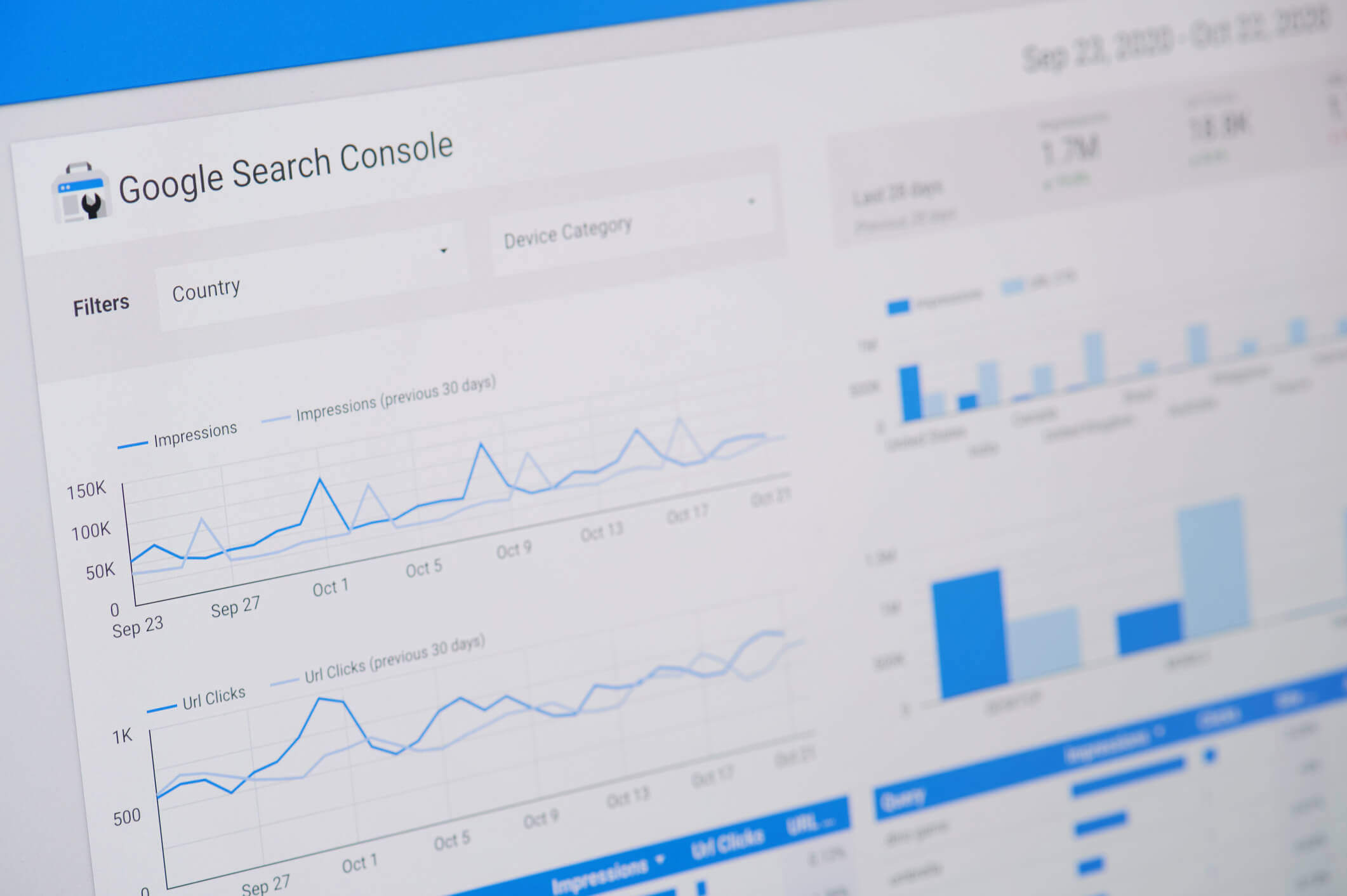
How to Improve Your Website’s Organic Click-Through Rate
Once you understand the problem, focus on improvements that address the specific pages and queries involved.
Prioritize Pages With Relevant Search Demand
Start with pages that already receive impressions for keywords closely connected to your services.
For a Las Vegas roofing company, a service page appearing for “roof repair Las Vegas” may deserve attention before a general article about roofing history.
Consider both the potential traffic and the likelihood that visitors will find the page useful.
Write Clear, Descriptive Title Tags
Make sure every important page has a title that accurately communicates its main topic.
Include the primary service and location when they are genuinely relevant. Avoid repeating the same keyword several times or adding claims that the page cannot support.
For example:
Less helpful: “Plumbing Services | Quality Plumbing | Best Plumbers”
More helpful: “Water Heater Repair in Las Vegas, NV | ABC Plumbing”
There is no guarantee that a title change will increase CTR, but a clear title gives users a better understanding of what they can expect.
Improve Meta Descriptions and Page Introductions
Write descriptions that explain the page’s purpose and provide a reason to visit.
Focus on the information or service available rather than using generic promotional language.
Because Google can generate snippets from page content, review the opening paragraphs and headings as well. They should reinforce the page’s topic and answer relevant questions clearly.
Strengthen Content That Does Not Match Search Intent
If a page receives impressions for relevant searches but does not satisfy the searcher’s needs, improve the content itself.
Depending on the page, useful additions might include:
- Clear explanations of the services offered.
- Common questions and practical answers.
- Service limitations or important considerations.
- Relevant examples and comparisons.
- Accurate information about the areas served.
- Helpful next steps for readers.
Do not add content merely to increase word count. The goal is to make the page more useful and relevant.
Use Internal Links to Support Important Pages
Internal links help visitors discover related information and help search engines understand how pages connect.
For example, an informational article about common AC problems could link to a relevant air conditioning repair service page.
Use descriptive anchor text and link only where the destination genuinely helps the reader.
For Las Vegas businesses, internal links can also connect relevant educational articles with service pages without forcing sales language into the article itself.
Measure Results After Making Changes
After updating a page, record the date and monitor its performance over the following weeks.
Compare clicks, impressions, CTR, and average position for the same important queries and pages.
Try to avoid changing many unrelated elements simultaneously. Otherwise, it becomes difficult to understand which improvements may have influenced the results.
Also account for search demand, seasonality, ranking changes, and shifts in the queries generating impressions.
When High Impressions and Low Clicks Are Not Necessarily a Problem
Not every low CTR requires immediate action.
Suppose your website begins appearing for hundreds of additional informational searches. Total impressions may rise significantly, while overall CTR declines because many of those new queries have lower rankings or different user intent.
That does not automatically mean your most important service pages are performing worse.
Similarly, a page answering a simple informational question may receive impressions without attracting many visits. If the page was created primarily to educate readers, its performance should be assessed in context.
Before treating low CTR as a failure, ask:
- Are clicks for our most important service-related keywords increasing or decreasing?
- Are we appearing for more relevant searches?
- Has our average position changed?
- Are informational searches lowering our overall CTR?
- Are our organic visitors taking useful actions after arriving?
The last question matters because clicks are not the same as business results. If your website already attracts visitors but struggles to turn them into inquiries, that is a separate issue explored in our article Why Your Website Gets Traffic but No Leads.
Common Mistakes to Avoid When Trying to Increase Clicks
Improving CTR should not involve misleading searchers or making changes without understanding the underlying problem.
- Rewriting every title at once: Start with pages that have a clear opportunity for improvement.
- Using clickbait: Exaggerated titles can attract the wrong visitors and create unrealistic expectations.
- Ignoring ranking position: A page that ranks poorly may need broader SEO improvements rather than a new description.
- Comparing unrelated keywords: Branded, informational, and service-related searches naturally behave differently.
- Chasing a universal CTR benchmark: There is no single percentage that defines success across every industry, query, and ranking position.
- Confusing Google Maps activity with organic website clicks: These interactions are measured differently.
- Expecting immediate results: Google may need time to recrawl pages, update displayed information, and reflect performance changes.
A focused approach based on actual query and page data is more useful than making changes simply because the overall CTR looks low.
Frequently Asked Questions
1. Why does my website have thousands of impressions but very few clicks?
Your website may rank too low, appear for irrelevant keywords, compete with prominent search features, or display titles and snippets that do not match what users want. Review individual queries, pages, and average positions in Google Search Console to identify the likely cause.
2. What is a good organic click-through rate for a website?
There is no universal good CTR. Performance varies according to ranking position, search intent, branded versus non-branded searches, device, and the features displayed in search results. Compare similar queries and track your own performance over time instead of relying on a single benchmark.
3. Can a website get impressions without any clicks?
Yes. Google can record impressions when a result appears under its counting rules, even if no one selects it. A page might receive impressions for searches where it ranks poorly or where users find the information they need without opening a website.
4. Does a low CTR hurt my Google rankings?
A low CTR in Search Console does not, by itself, prove that Google is penalizing your website or lowering its rankings. Google has not established a universal CTR threshold that websites must meet. Focus on relevance, helpful content, and understanding why users may not be clicking.
5. How can I increase clicks without publishing more blog posts?
Start by improving existing pages. Review their ranking positions, title tags, meta descriptions, content relevance, and internal links. Pages already receiving impressions for important keywords may offer opportunities without requiring additional articles.
6. Can Google AI Overviews reduce website clicks?
AI Overviews can affect how users interact with search results because they may provide information directly on Google. However, their effect varies by query, and not every decrease in CTR is caused by AI Overviews. Review the actual results and your Search Console data before drawing conclusions.
7. How long does it take to see improvements after optimizing a page?
There is no fixed timeline. Google must discover and process changes, and search performance depends on competition, ranking movements, search demand, and other factors. Monitor meaningful trends over several weeks rather than judging success immediately after making an update.
Final Thoughts
High impressions and low clicks are not always signs of poor SEO. They show that your website is appearing in search results, but the reasons people are not clicking can vary significantly.
For Las Vegas business owners, the best starting point is to examine which queries generate impressions, where the relevant pages rank, and whether those pages match what searchers need. From there, you can prioritize improvements to content, title tags, search snippets, and internal links.
Remember that the goal is not simply to increase your overall click-through rate. It is to attract relevant visitors who can benefit from the information, products, or services your website provides.
Need Help Understanding Your Website’s Search Performance?
If your Las Vegas website receives plenty of impressions but struggles to generate clicks, Brooks Internet Marketing can help you identify what’s limiting your organic search performance. Our team reviews keyword visibility, search intent, website content, and other SEO factors to uncover opportunities for improvement.
Explore our Las Vegas SEO services or contact Brooks Internet Marketing to discuss your website’s search performance and the steps you can take to attract more relevant visitors.